Help
Everything for your first sessions in the beta. Stuck on something else? In the app, press ? at the top right, then Report a problem.
- What you need
- Set up a session
- Add your music
- Invite a partner
- Fix a beat grid
- When something's wrong
- When a partner drops
- FAQ
What you need
- A laptop or desktop. Open Mix//Sync on a phone and it helps you send the link to your computer.
- Chrome or Safari. Nothing to install.
- Your own music files: MP3, WAV, FLAC, AAC, OGG or M4A, in a folder or in your Rekordbox collection. AIFF and Apple Lossless don't play in Chrome yet.
- Headphones or speakers.
- An internet connection, to mix with a partner.
- An invite, during the beta. Join the waitlist.
Set up a session
- Open Mix//Sync and press Start a mix.
- Press Add my music at the bottom of the library and choose a folder, or choose Rekordbox.
- Drag a record onto a deck, or click a deck where it says Click or drag to load track.
- Press play. Load the other deck the same way and press SYNC on it to bring it in at the same tempo.
- Ready to record? Press Rec in the top bar.
Mixing alone is a full session. Nobody has to join.
Add your music
A folder of music
- In Chrome, press Add my music, then Choose a folder…, and pick the folder your music lives in. A card says how many new tracks it found: Import all, Choose which, or Skip.
- Files under 75 seconds are skipped. So are folders that look like music-production projects: the card says how many, and include them brings those in.
- Added files to the folder later? Open Add my music and press Check for new music.
- After a restart, Chrome may need one click to re-open your music. Press Grant access.
- In Safari, press Choose your music folder in an empty library. The tracks you add are kept on this computer.
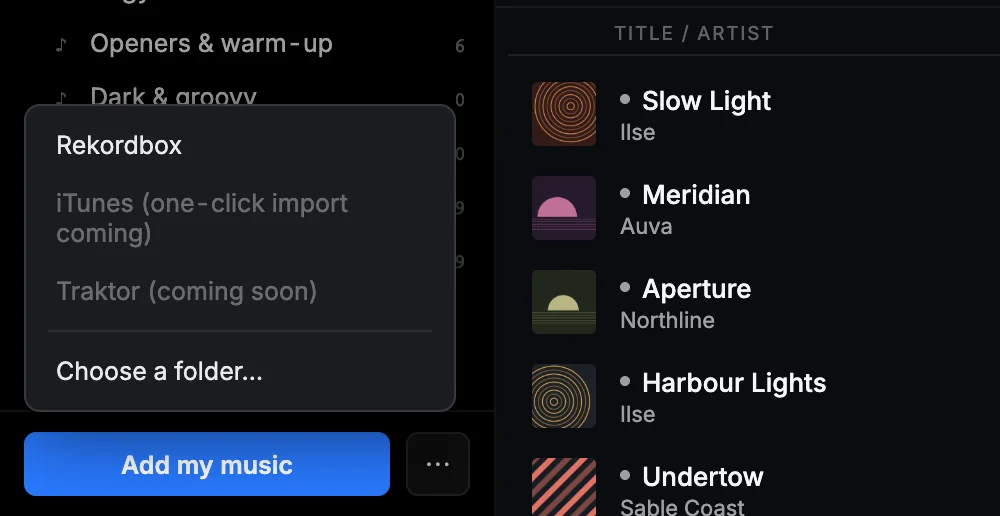
Your Rekordbox collection
- In Rekordbox, switch to Export mode, then choose File, Export Collection in xml format, and save the file.
- In Mix//Sync, press Add my music, choose Rekordbox, press Choose file… and pick the file.
- When it says We found your library., press Connect. Your playlists appear under Rekordbox in the sidebar.
Added music in Rekordbox? Export again and connect the new file the same way. If the export command isn't where you expect, press Still stuck? in the Connect Rekordbox box.
Mix//Sync reads each track's tempo, key and energy in your browser. Your files are never uploaded, moved or changed.
Invite a partner
- In your session, press Invite on the empty seat at the top right. The link is copied.
- Send it to your friend, however you usually talk.
- They open it and press Join mix.
A session is two DJs. Your friend needs a laptop or desktop with their own music, Chrome or Safari, and headphones or speakers. Your link lets them into your session, even if they aren't in the beta yet.
Got a link from a friend? On your home page, press Join someone's mix and paste it.

Fix a beat grid
The thin lines over the waveform are the beat grid, and sync and loops work from it. When the lines don't sit on the kicks:
- Load the track and press GRID on the deck.
- Pause the track, put the playhead on a kick that starts a bar, and press Bar 1 here.
- Use the arrows to move the whole grid earlier or later until the lines sit on the kicks. Hold an arrow to go faster.
- Tempo wrong? Press ÷ 2 or × 2, type the BPM and press Enter, or press TAP on the beat four times or more.
Undo takes back the last change. The metronome button clicks on every grid beat while the track plays, so you can hear whether the grid sits.
Your fix is saved with the track, and a later analysis never overwrites it. A small grid? beside the BPM means the grid is worth a look.
When something's wrong
A line under the top bar says what happened, with a button when there's something to press.
- Reconnecting to the room… The connection blinked. Give it a moment.
- Partner audio dropped. Reconnecting (attempt 1 of 3)… It's already trying again.
- Your partner's audio went quiet on the line. Press Reconnect audio. If it keeps happening, press Use the relay path.
- Tap here to enable partner audio Your browser is holding your partner's sound until you click. Click it.
Refreshing is safe. In a session with a partner, you come back into the session that's still running.
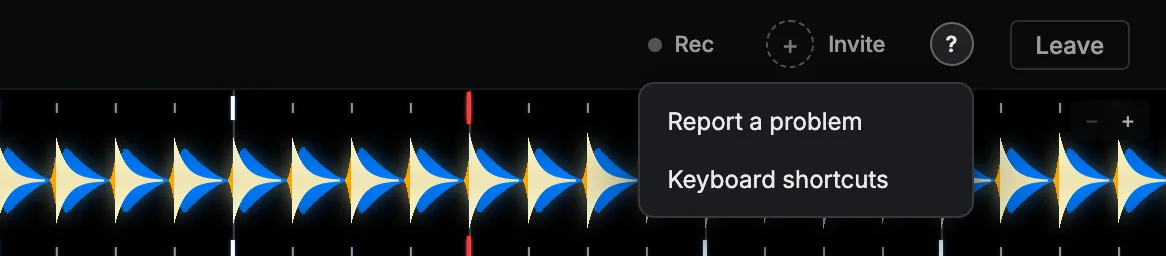
To tell us, press ? at the top right, then Report a problem. Your note comes with a short technical report of what the app was doing, including the DJ names and room code, never your music or files.
When there's a new version, a line at the top says so. It never reloads in the middle of a mix: press Refresh when you're ready.
When a partner drops
- Your decks keep playing, and your recording keeps going.
- Sync stays on. You don't have to press anything.
- Your partner opens the same link and presses Join mix to come back into the session that's running.
FAQ
- What does it cost?
- Free during the beta.
- Do I need to install anything?
- No. Mix//Sync runs in Chrome or Safari on a laptop or desktop.
- Does my music get uploaded?
- No. Your files stay on your computer. With a friend, only the sound travels, live.
- Can I mix alone?
- Yes. A solo session is a full session: two decks, your library and a recording at the end.
- Does my friend use their own music?
- Yes. Each of you plays records from your own library, on your own computer.
- Does it work with Rekordbox?
- Yes, through Rekordbox's XML export. Your playlists, hot cues and beat grids come across.
- Can I use it on my phone?
- Mixing needs a laptop or desktop. On a phone, Mix//Sync helps you send the link to your computer.
- How do I get in?
- We're adding DJs a few at a time. Join the waitlist.
We're adding DJs a few at a time. Join the waitlist